Scratch for Children 2
A coding playground a child can use before they can read. Join picture blocks to move characters and tell stories.
StartNo install, right in the browser. Free.



What Scratch for Children 2 is
A coding playground a child can use before they can read. They drag picture blocks together to move characters, make them talk, and tell stories. It is made with five to seven year olds in mind, and there are no right answers and no scores - what they made is the result. It runs in the browser with nothing to install, and it is free.
What can you do?
- Make something newSnap blocks together to tell a story.
- LearnSee how it was made, then try it yourself.
- Read and changeRead a story, then change it however you like.
Getting started
 Pick a characterPress the dashed plus tile under the list on the left to open the character picker. Choose one and press the tick, and it appears on the stage.
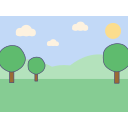
 Pick a backgroundThe picture button above the stage chooses a background. Once there is a setting, story ideas come much more easily.
 Drag out one block and tap itTake a blue move block from the drawer below and tap it. The character moves one step right. Change the number under the block to send it further.
 Join a flag block in frontDrag the flag block from the yellow drawer to the left of the move block. Bring blocks close together and they snap.
 Run it with the green flagThe green flag above the stage runs every row that starts with a flag block. The reset button puts the character back where it started.
 Leave through the houseThere is no save button. Leaving by the house button at the top left saves the work, and it can be reopened from the list.
What they are learning
The point is not to memorise blocks. Through play a child picks up three ideas.
- In orderBlocks run in the order they are joined. Change the order and the result changes - visibly.
- When to startOn the flag, on a tap, on a bump. The idea that something has to happen for something else to follow.
 Again and againInstead of ten copies of a block, one repeat block around it. The idea of wrapping something up to make it smaller.
What is inside
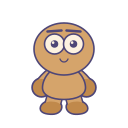
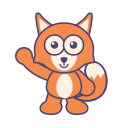
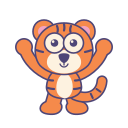
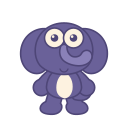
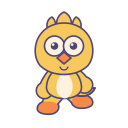
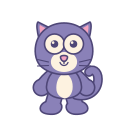
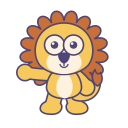
- 20 characters
- 816 objects
- 60 backgrounds
- 33 music tracks

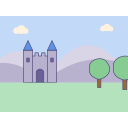
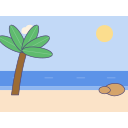

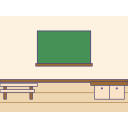
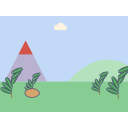
Six drawers of blocks


Helping alongside
This is sitting beside them, not teaching. An adult being curious about what they made is motivation enough.
- Rather than demonstrating first, let them press any block at all. One block, one result - they work it out themselves.
- Instead of "why isn't it working?", try "what do you think will happen?". Predicting and checking is the whole game.
- Breaking it is fine. Blocks pull apart again, and undo is there.
- Short and often beats one long sitting. Half-finished work is saved as it is.
- When it is done, ask them to explain it. Putting the order they built into words is what makes the idea of sequence stick.
Common questions
What age is this for?
Usually five to seven. Younger children enjoy just moving a character around, and past eight some are ready for Scratch (scratch.mit.edu).
Does it cost anything?
No. There are no adverts and no account to create.
Do they need to be able to read?
No. The blocks are all pictures; the only text is in the say block and in the project name.
How does saving work?
Automatically. Work stays in this browser on this device, so clearing browser data clears it too, and it does not appear on other devices.
Can work be sent to someone else?
There is an export in the project panel, though parts of it are still being finished in this version.